
A CRM is not “big company software.” For a small business, it is simply the system that prevents leads, quotes, and repeat customers from slipping through the cracks. If you have ever asked “Who talked to this customer last?” or “Did we ever send that estimate?” you already need client relationship management software for small business operations.
This guide is written for non-technical founders and local teams (Los Angeles and the Inland Empire included) who want to choose the right CRM, set it up without overbuilding, and actually get the team to use it.
What CRM software does (in plain English)
Client relationship management software stores customer and lead information and ties it to activity, so you can reliably follow up and measure what is working.
A good small business CRM typically helps you:
- Capture leads from your website forms, calls, social, walk-ins, and referrals.
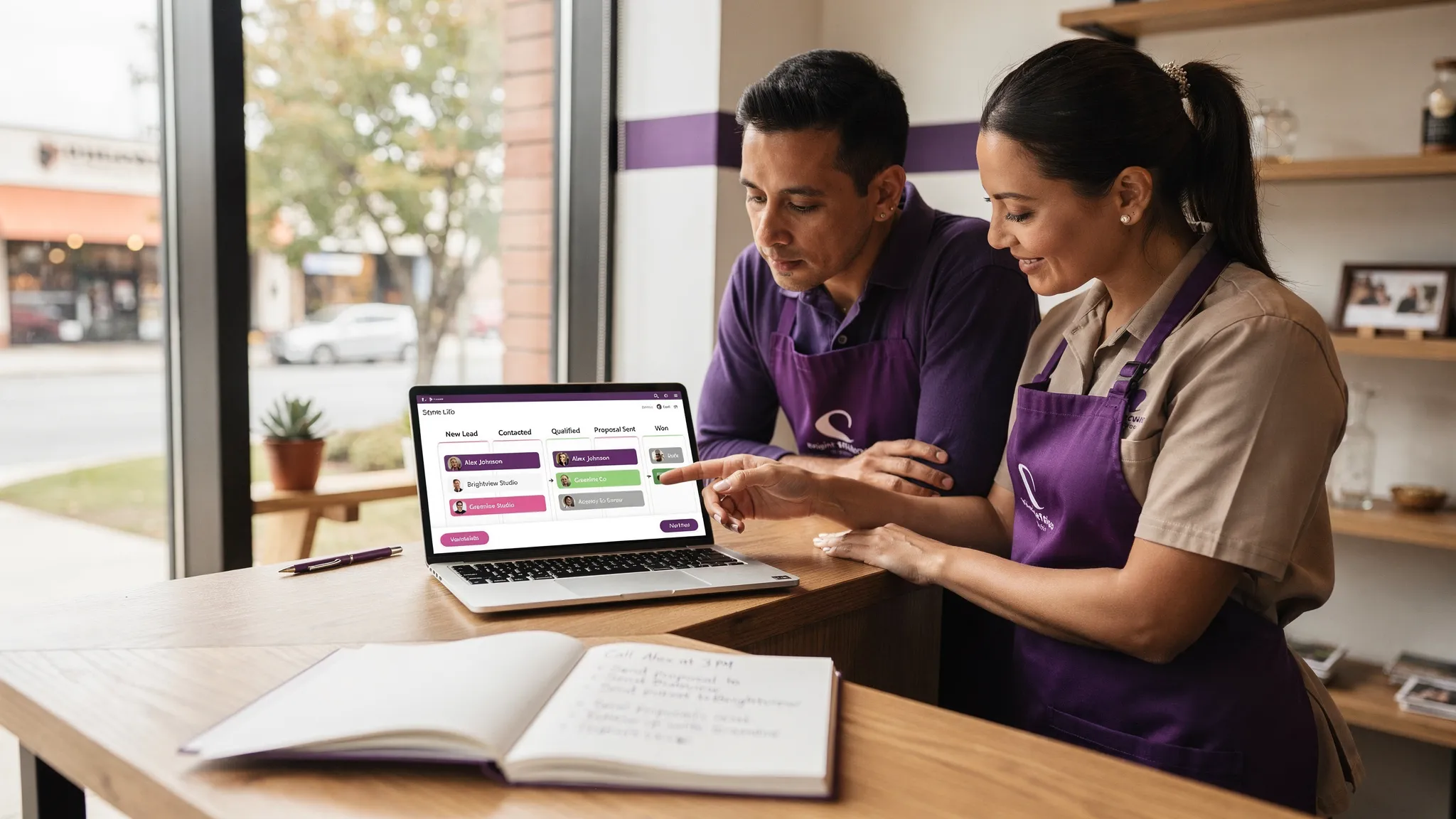
- Track where each opportunity is (new lead, quote sent, booked, closed won, closed lost).
- Remember every interaction (notes, emails, texts, files, invoices, jobs).
- Automate repetitive follow-ups (appointment reminders, quote check-ins, review requests).
- Report on basics like lead sources, close rate, and sales cycle length.
If your current “system” is a mix of inboxes, spreadsheets, sticky notes, and one person’s memory, a CRM is the upgrade that makes growth less chaotic.
Start with the real question: “What do we need the CRM to do?”
Most CRM failures happen because a business buys a tool before defining the job. The best CRM is the one that fits your workflow with the least friction.
Use this table to match your business model to the CRM job you are trying to do.
| Business type | The CRM job to solve | “Must work on day one” features | Common integrations |
|---|---|---|---|
| Home services (HVAC, plumbing, cleaning, roofing) | Respond fast, schedule, send estimates, stop no-shows | Mobile app, pipeline, estimates/quotes, automated reminders | Calls/SMS, Google Business Profile, scheduling, payments |
| Appointment-based (salon, med spa, fitness, legal consults) | Book more, reduce missed appointments, improve retention | Booking sync, reminders, customer notes, simple segmentation | Calendar, SMS/email, forms, review requests |
| B2B / professional services (agencies, consultants, wholesale) | Track longer deals, follow-up consistently, forecast | Stages, tasks, email sync, document templates | Gmail/Outlook, proposals, e-sign, accounting |
| Retail / e-commerce | Increase repeat purchases, handle support, segment customers | Customer profiles, purchase history, basic email/SMS flows | E-commerce platform, email/SMS, support inbox |
If you sell products online with seasonal demand, segmentation matters. A retailer like Fabbrica Ski Sises can use CRM-style segments (winter sports buyers, gift shoppers, high-value customers) to time promotions and improve repeat purchases without blasting everyone the same message.
CRM categories (so you do not compare the wrong tools)
“CRM” is a broad label. Narrow the category first, then evaluate products inside that category.
Sales CRM (pipeline-first)
Best when your revenue depends on moving opportunities through stages (lead, contacted, quote sent, negotiation, closed). These CRMs prioritize pipelines, tasks, and follow-up.
All-in-one CRM (CRM plus marketing and sometimes websites)
Best when you want fewer tools. These can be great for small teams if the all-in-one fits your marketing channels (email, SMS, landing pages). The tradeoff is you may accept some constraints.
Service and field operations CRM
Best for dispatch, job scheduling, route planning, and technician workflows. Often includes estimating and invoicing.
Support-first CRM (ticketing)
Best when you handle ongoing customer support (returns, issues, multi-step troubleshooting). Think “inbox and resolution.”
The “best” CRM depends on what drives revenue in your business, not on brand recognition.
The small business CRM selection checklist that actually matters
Feature lists are everywhere, but selection should focus on the few factors that decide whether your team will adopt the system.
1) Usability beats power (especially for small teams)
If the CRM requires heavy admin work, it will not survive a busy week. During trials, test simple tasks:
- Add a lead in under 30 seconds.
- Move a deal to the next stage in 5 seconds.
- Log a call or note from a phone easily.
If those actions feel slow, adoption will be slow.
2) Mobile experience is not optional
For local businesses, work happens in trucks, job sites, and storefronts. A “mobile-friendly” CRM should allow your team to:
- Call/text from the record
- Add notes quickly
- Change status/stage
- Create a follow-up task
3) Integrations decide your total workload
For most small businesses, the CRM should connect to the systems you already use, such as:
- Website forms (lead capture)
- Gmail/Outlook (email sync)
- Calendar (appointments)
- Accounting/payments
- Ads and analytics (attribution)
If the integration is missing, you will be doing manual work or paying for custom glue.
4) Automation should be minimal, targeted, and measurable
The goal is not “automate everything.” Start with 2 to 4 workflows that produce obvious ROI:
- Missed call text-back
- Quote follow-up
- Appointment reminders
- Review requests after a completed job
Once those are stable, expand.
5) Data ownership, permissions, and privacy (California reality)
If you operate in California, treat CRM data like a business asset and a liability. At minimum, confirm:
- Role-based access (so not everyone sees everything)
- Export options (avoid lock-in)
- Clear handling of customer data and deletion requests
For a plain-English overview of California privacy rights and business obligations, see the California Department of Justice privacy page.
A practical CRM scorecard (use this during demos)
Instead of trying to remember your impressions after three demos, score each tool consistently.
| Criteria | What to ask in the demo | What “good” looks like for a small business |
|---|---|---|
| Time-to-value | How fast can we go live with our pipeline and forms? | Basic setup in days, not months |
| Lead capture | Can it catch leads from our site and route them? | Simple forms, tagging, notifications |
| Follow-up reliability | Can we prevent leads from going cold? | Tasks, reminders, owner assignment |
| Mobile workflow | Can techs or staff update records instantly? | Fast mobile updates, click-to-call/text |
| Reporting | Can we see lead source, close rate, and speed-to-lead? | Simple dashboards, exportable data |
| Integrations | Does it connect to our core tools without fragile hacks? | Native integrations or stable connectors |
| Permissions and auditability | Can we control access and track changes? | Roles, logs, team controls |
| Scalability | Will it still work if we double headcount or locations? | More users, more pipelines, consistent performance |
If a CRM “wins” on features but loses on time-to-value and mobile workflow, it is usually the wrong choice for a small local team.
CRM cost: think total cost of ownership (not just the monthly subscription)
It is tempting to compare CRMs by per-seat pricing, but the real cost is the combination of:
- Subscription fees
- Setup time (your time has a cost)
- Data cleanup and migration
- Integrations (connectors or custom work)
- Ongoing admin effort
- Training and adoption time
A useful way to evaluate ROI is to tie the CRM to one measurable improvement, such as:
- Faster response time to inbound leads
- Higher quote-to-close rate
- Reduced no-shows
- More repeat purchases
If your average job is $1,500 and a better follow-up process wins even 2 extra jobs per month, the CRM can pay for itself quickly. You do not need perfect attribution to make a good decision, you need a realistic baseline and one or two target metrics.
Implementation that works: launch an MVP CRM first, then iterate
Small businesses often try to “finish” the CRM before anyone uses it. That creates complexity, delays, and low buy-in.
A better approach is to launch a minimum viable CRM (MVP) that covers the entire journey end-to-end:
- Lead comes in
- Lead is assigned
- Follow-up happens
- Deal is won or lost
- Reporting shows what happened
Then refine.
Here is a rollout plan that avoids overbuilding.
| Phase | Timeline | Outcome | What you configure |
|---|---|---|---|
| MVP launch | Days 1 to 10 | Team can capture and work every lead | Pipeline stages, required fields, lead sources, basic form integration |
| Follow-up system | Weeks 2 to 3 | Fewer leads go cold | Tasks, reminders, simple automations (missed-call, quote follow-up) |
| Quality and reporting | Weeks 4 to 6 | You can measure and coach | Reports, dashboards, activity standards, permissions |
| Optimization | Weeks 7 to 10 | CRM fits your real workflow | Custom fields, better routing, deeper integrations, templates |
The key is to name a CRM owner. Not a developer, a business owner or ops lead who makes decisions and enforces the workflow.
Website and CRM: the most common integration mistakes (and how to avoid them)
For local businesses, your website is often the top lead source. The CRM should not just “store” form submissions, it should drive action.
Common problems we see:
- No lead routing: the form goes to a generic inbox, nobody owns it.
- No source tracking: you cannot tell if leads came from SEO, ads, or referrals.
- No follow-up standard: response time depends on who noticed the message.
- Spam and junk leads: forms are not protected or validated.
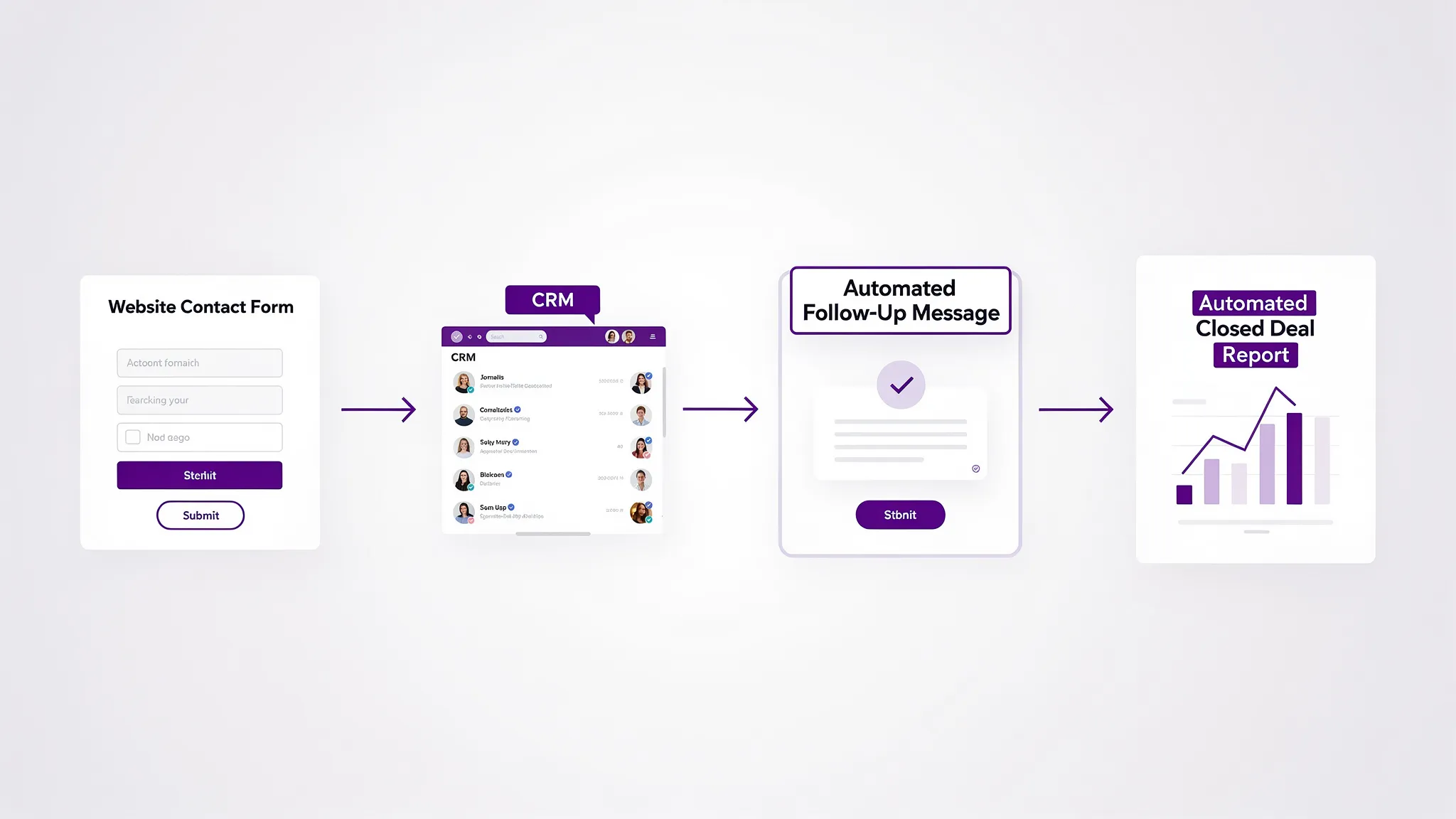
A healthy web-to-CRM setup typically includes:
- A form that creates a CRM record with a clear source
- Automatic assignment (or at least instant notifications)
- A first follow-up task created automatically
- A “lost reason” field so you can learn and improve
If you are investing in local SEO, the CRM is where you prove whether that investment is turning into booked jobs.
When you should consider a custom CRM (or custom CRM components)
Most small businesses should start by buying a CRM. Custom builds make sense when your workflow is a competitive advantage or when off-the-shelf tools force too many workarounds.
Consider custom development or custom integrations if:
- You have unique quoting, routing, or compliance requirements.
- You need to integrate multiple systems that do not reliably connect.
- You need specialized automation (for example, routing by service area, inventory rules, or multi-location permissions).
- You need your CRM to live inside your existing internal software.
A hybrid approach is common: use a proven CRM core, then build custom automations, dashboards, or integrations around it.
Frequently Asked Questions
What is client relationship management software for small business? It is software that centralizes lead and customer data, tracks interactions, and helps you follow up consistently so you close more deals and retain customers.
Do I need a CRM if I only have a small team? Yes, small teams benefit the most because missed follow-up is expensive, and a CRM prevents leads from depending on one person’s memory.
How long does it take to implement a CRM? A basic MVP can be live in about 1 to 2 weeks if you keep scope tight (pipeline, forms, assignment, and follow-up). Deeper automation and reporting usually takes several more weeks.
What should I integrate with my CRM first? Start with your website lead form, your email (Gmail/Outlook), and your calendar. Then add call tracking, SMS, payments, and accounting once the basics are working.
How do I get my team to actually use the CRM? Make it the easiest way to do the job: keep fields minimal, define one pipeline, assign ownership, and review a simple weekly report (new leads, contacted, won, lost).
Is a CRM also a marketing tool? Some CRMs include marketing automation (email, SMS, segmentation). If you mainly need sales follow-up, a sales CRM plus a few targeted automations is often enough.
Need help choosing and implementing the right CRM in LA or the Inland Empire?
Brother Web Design helps small businesses and non-technical founders go from “we should get a CRM” to a working system that captures leads, routes them correctly, and supports ongoing growth. If you want help selecting a platform, integrating your website and tools, or building custom automations, start here: Brother Web Design.