

If you run a small business in Los Angeles or the Inland Empire, deciding whether to build your own website or hire a website building company can feel like a fork in the road. Both paths can succeed. The right choice depends on your goals, timeline, budget, and how complex your digital needs really are.
This guide breaks down the tradeoffs in plain language, with a practical comparison and decision tips for non technical founders.
What DIY vs a Website Building Company Actually Means
DIY typically means using a site builder or theme based platform you manage yourself. Think hosted builders and template driven WordPress setups. You choose a template, drag and drop sections, and connect add ons for forms, booking, or e commerce.
A website building company, like an in house development team or local agency, plans and delivers a site around your brand, goals, and processes. Beyond design, they can handle integrations, automation, SEO, analytics, and ongoing improvements.
DIY: Pros and Cons
DIY Pros
- Lower upfront cost, you can start on a modest budget.
- Faster to get something online, especially for a simple brochure site.
- Full control of day to day edits, you do not wait on anyone to change text, photos, or hours.
- Large app marketplaces, many plug ins for forms, popups, bookings, and basic analytics.
DIY Cons
- Time cost, learning curve, and ongoing upkeep can eat into owner time.
- Performance and SEO pitfalls, large images, heavy scripts, and layout shifts hurt Core Web Vitals, which influence user experience and discoverability. See Google’s Core Web Vitals guidance for what good looks like: Google Search Central, Core Web Vitals.
- Template sameness, hard to differentiate brand or tailor conversion flows beyond what the template allows.
- Accessibility and compliance risk, meeting WCAG guidelines takes knowledge and testing. Review the W3C overview: WCAG standards and the DOJ’s guidance: ADA web accessibility guidance.
- Integrations and data flow, connecting CRM, inventory, or custom workflows can be limited or brittle.
- Security and maintenance, hosted builders cover the platform, but you still manage content, embeds, and third party scripts. If you self host, you need to plan for updates and hardening. See the official WordPress stance on security responsibilities: WordPress security.
- E commerce complexity, shipping, taxes, product variants, abandoned cart flows, and post purchase automation are easy to start, but hard to optimize alone.
Website Building Company: Pros and Cons
Company Pros
- Strategy first, a partner maps business goals to information architecture, content, and conversion paths.
- Custom design and UX, brand matched visuals and user flows built for your buyers, not a generic template.
- Technical SEO done right, clean markup, structured data, logical internal linking, and performance budgets aligned with Core Web Vitals.
- Accessibility and compliance, attention to color contrast, keyboard navigation, labeled inputs, and alt text, with testing against WCAG checkpoints.
- Integrations and automation, connect your CRM, invoicing, scheduling, inventory, or marketing stack, reduce manual work.
- Analytics and experimentation, proper event tracking, funnel measurement, and A/B testing to improve results.
- Ongoing support, updates, security, content changes, and roadmap improvements are handled by a team.
- Future ready architecture, code and content structure that can grow with multi location SEO, campaigns, and new products.
Company Cons
- Higher upfront investment than DIY.
- Requires collaboration time for discovery, content, and feedback cycles.
- You need the right partner, poor scoping or unclear ownership can cause headaches, so due diligence matters.
Side by Side Comparison
| Factor | DIY Site | Website Building Company |
|---|---|---|
| Upfront cost | Low to moderate, mostly your time plus subscriptions | Higher, covers strategy, design, development, QA |
| Speed to launch | Fast for simple sites | Fast to moderate, depends on scope and approvals |
| Brand differentiation | Limited by template | High, custom design and messaging |
| SEO foundations | Basic, easy to miss technical details | Strong, technical and on page SEO planned in |
| Performance (Core Web Vitals) | Variable, often impacted by heavy themes and apps | Targeted, image optimization, code splitting, budgets |
| Accessibility | Easy to overlook | Baked into design and QA |
| Integrations and automation | Limited, app workarounds | Native or custom integrations to your tools |
| E commerce complexity | Starter friendly, advanced flows are hard | Built for complex catalogs, taxes, shipping, and post purchase |
| Security and maintenance | Platform dependent, you still manage content and scripts | Managed updates, backups, monitoring |
| Ownership and portability | Some vendor lock in | Clear deliverables and code portability when scoped |
| Analytics tracking | Basic page view tracking | Robust event tracking and reporting |
| Support | Self served, help center | Actual human support and maintenance plan |

The Hidden Costs Few People Budget For
Hidden Costs of DIY
- Your time, planning, setup, content, images, and ongoing edits.
- App fees, forms, bookings, schedulers, popups, and email tools add up.
- Performance fixes, image optimization, hosting upgrades, and CDN costs.
- Legal and compliance, privacy policy, cookie consent, accessibility work.
- Break fixes, conflicts between plug ins or theme updates.
Hidden Costs of Hiring a Company
- Content creation, if you do not provide content, copywriting or photography may be additional.
- Change requests, out of scope tweaks and new features increase cost and time.
- Ongoing improvements, plan for maintenance and optimization, not just launch.
When DIY Is a Good Fit
- You need a simple brochure site, services, hours, about, contact.
- Single location, low competition niche, modest traffic goals.
- You have time and interest in learning basic site management.
- You are validating a new idea and want to test quickly.
When a Website Building Company Is the Smart Move
- You rely on your site for leads or online sales, and every conversion matters.
- You need custom booking, quoting, membership, or multi step forms.
- You have multi location SEO needs across Los Angeles or the Inland Empire.
- You require integrations, CRM, inventory, accounting, or workflow automation.
- You plan paid media and need robust analytics, tracking, and landing pages.
- You want accessibility, performance, and technical SEO handled to standard.
A Practical Hybrid Approach
You do not have to choose all or nothing. Many local businesses succeed with a hybrid plan.
- Start DIY to validate your offer, then hire a company to harden SEO, performance, and conversions.
- Engage a company for strategy, design system, and templates, then you manage content updates.
- Keep DIY for simple landing pages, let a partner handle your core site and integrations.
What To Ask Any Website Building Company
- What is the discovery process, and how will you translate our goals into structure and content?
- What are the performance and accessibility acceptance criteria, and how will they be measured?
- How will technical SEO be implemented, sitemaps, structured data, redirects, internal linking?
- What integrations will you deliver, and how will data flow between tools?
- Who owns the code, content, and design files, and where will the site be hosted?
- What is included post launch, support, maintenance, and how do change requests work?
- What does the timeline look like, milestones, approvals, and responsibilities?
Local Notes for LA and the Inland Empire
- Mobile first matters, many local customers search on the go, so speed and clarity win.
- Neighborhood relevance, structure your site for service areas, with clear NAP details and local content.
- Bilingual content can expand reach, plan for language switching and translated metadata if relevant to your audience.
- Competitive niches, trades, professional services, legal, health, and home services benefit from strong technical SEO and conversion optimization.
Quick Decision Checklist
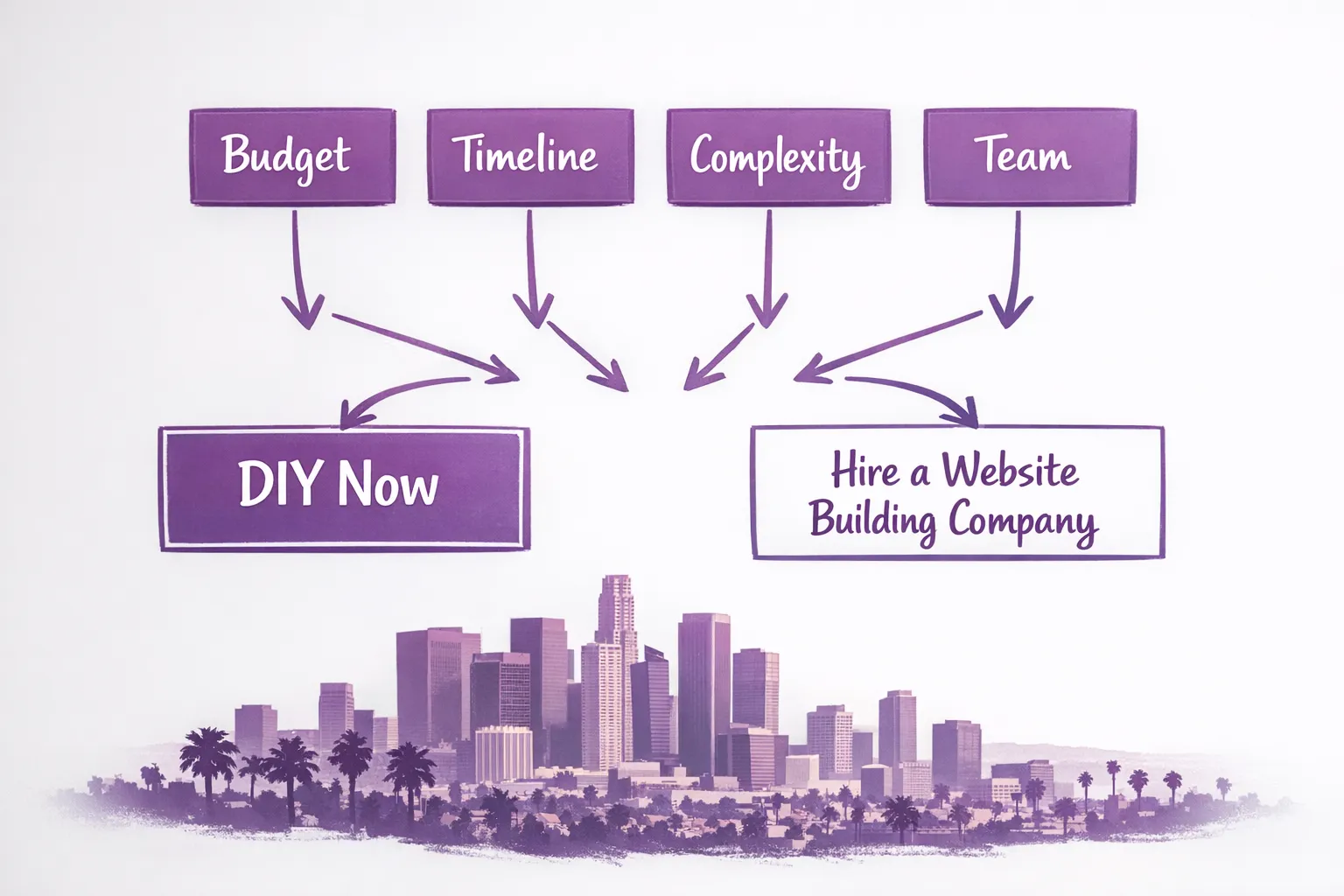
If you answer yes to three or more of these, a website building company is likely the right call.
- Do you need custom integrations or automation beyond form to email?
- Will the site be a primary lead or revenue driver?
- Do you have multiple locations or complex service areas?
- Are accessibility and compliance priorities for your organization?
- Do you plan to run paid campaigns and require accurate conversion tracking?
- Is your team short on time to build and maintain the site?
References and Further Reading
- Google Search Central, Core Web Vitals: developers.google.com/search/docs/appearance/core-web-vitals
- W3C, WCAG Overview: w3.org/WAI/standards-guidelines/wcag/
- U.S. Department of Justice, Web Accessibility Guidance: ada.gov/resources/web-guidance/
- WordPress, Security: wordpress.org/about/security/
Frequently Asked Questions
Is DIY bad for SEO? DIY is not inherently bad for SEO, but it is easier to miss technical details, like heading structure, internal linking, structured data, image optimization, and Core Web Vitals. A planned approach can mitigate these gaps.
How long does a professional website take? Timelines depend on scope and how quickly content and approvals are provided. Simple projects can be relatively fast, complex builds with integrations take longer. Ask for a milestone based plan.
Can I start DIY and later hire a website building company to improve it? Yes. Many businesses launch DIY, then bring in a team to refine UX, speed, SEO, accessibility, and tracking without starting over.
What about ongoing costs? DIY has subscriptions and app fees, plus your time. Hiring a company includes maintenance and optimization if you choose a support plan. Budget for ongoing improvement either way.
Do I need to worry about accessibility as a small business? It is best practice for users and risk reduction. Review WCAG and DOJ guidance and include accessibility in acceptance criteria.
Is a custom site always more expensive? Upfront, usually yes. Over 12 to 36 months, improved conversions, reduced manual work through integrations, and better measurement can offset costs.
What if I only need a one page site? A simple one pager is a great DIY candidate. If you plan to scale soon, consider a company to set foundations that are easy to grow.
Talk With a Local Team That Builds for Results
If you want a partner who can design, develop, and optimize around your goals, our in house team at Brother Web Design serves small businesses and startups across Los Angeles and the Inland Empire. We deliver custom web design, e commerce, workflow automation, CRM development, lead generation, SEO and local optimization, digital marketing, ongoing support, and integrations with your business tools.
Share your goals and constraints, and we will recommend the most efficient path, DIY, hybrid, or full service. Get in touch at brotherwebdesign.com.





2 Comments. Leave new
[…] If you’re comparing DIY versus having a team build and maintain it, you may find this helpful: Website Building Company vs DIY: Pros and Cons. […]
[…] If you’re still deciding whether to hire a team or build it yourself, this comparison can help frame the tradeoffs: Website Building Company vs DIY: Pros and Cons. […]